


With the rise of counterfeit smartphones. It is getting harder to spot a fake Samsung phone. Many duplicates look exactly like the real thing but lack the performance, durability and warranty support that come with original devices.
This article will show you how to check original Samsung mobile phones using official methods, manual inspections and software tools, so you do not get scammed.
What Makes a Samsung Phone Original?
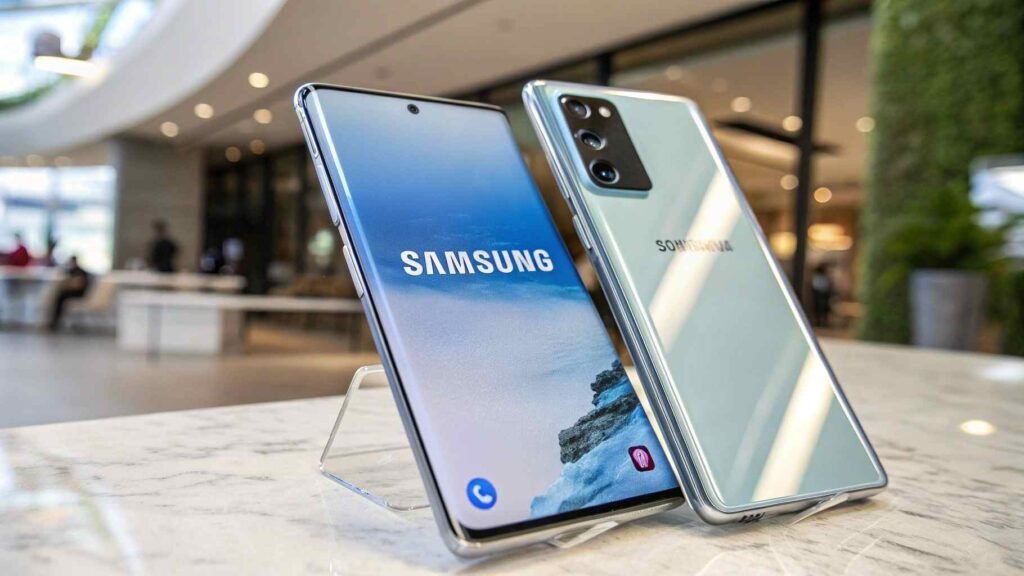
An original Samsung mobile is:
- Manufactured by Samsung Electronics
- Certified and registered by Samsung
- Sold via official or authorized dealers
- Covered under Samsung’s global/local warranty
- Compatible with official Samsung software and updates
Fake phones may copy the appearance but their hardware, software and internal components are low-quality or entirely different.
How To Check the Original Samsung Mobile Detailed Guide?
Let’s now break down each method you can use to verify your device:
IMEI Number Verification (Most Reliable Method)
Every Samsung phone has a unique 15-digit IMEI number.
How to Find?
- Dial *#06# on your phone.
- OR: Go to Settings > About Phone > IMEI Information.
How to Verify?
- Visit imei. info or Samsung’s official site.
- Enter the number and check the phone model brand specs.
Pro Tip: The IMEI on your phone should match:
- The one on the box
- The one inside the SIM tray
If they are different that is a warning sign.
Use Samsung Members App to Confirm Device Authenticity
Samsung provides the Samsung Members App to manage devices and run diagnostics.
Steps:
- Download the Samsung Members App from Galaxy Store or Play Store.
- Open the app and sign in using your Samsung account.
- It will detect your phone model and show device status.
If it says Genuine Samsung Device you are safe.
Check Serial Number and Model Number
- Go to Settings > About Phone > Status.
- Note down the Model Number (e.g., SM-G991B) and Serial Number.
Cross-Check On:
- Samsung’s Official Website
- Physical product box
If the model number doesn’t match Samsung’s known devices. It is likely fake.
Test Using Samsung Secret Codes
Samsung smartphones respond to specific diagnostic codes. These do NOT work on fake or cloned phones.
Common Samsung Secret Codes:
| Code | Function |
| *#0*# | Diagnostic Test Menu |
| *#1234# | Firmware Version |
| *#12580*369# | Software + Hardware Info |
| *#0228# | Battery Info |
❌ If these do not work your phone may not be genuine.
Examine Build Quality and Materials
Original Samsung phones are built with high-quality materials even the budget models.
Look For:
- Smooth edges and tight fitting of screen and back panel
- Responsive buttons
- Samsung logo engraving (not sticker)
- Consistent weight and feel
Fake devices often feel lighter, have sharp edges and poorly placed components.
Check Display Quality
Samsung is famous for its AMOLED screens. Fake phones usually have poor-quality LCDs.
Signs of Original Display:
- Bright, vibrant colors
- Deep blacks
- Smooth transitions
- No screen flickering
Compare with another Samsung device side-by-side if needed.
Check Camera Performance
Samsung cameras deliver clear, crisp and bright photos.
Test the Camera:
- Low light shots
- Front and back video quality
- Focus speed and detail
Fake phones often have grainy photos, slow focus and no real night mode.
Software & Interface Check
Genuine Samsung phones run on One UI, Samsung’s official Android skin.
Check For:
- Samsung App Store
- Samsung Themes
- Secure Folder
- Knox Security
- Bixby Assistant
⚠️ If your phone runs stock Android or doesn’t have Samsung apps, it’s likely fake.
Run a Benchmark Test
Use apps like:
- Geekbench
- Antutu
- CPU-Z
Compare your phone’s score with official Samsung benchmarks. If it’s drastically lower, something’s wrong.
Check Warranty & Purchase Source
Only original phones carry Samsung’s official warranty.
Steps:
- Visit Samsung Warranty Check Page
- Enter your Serial Number or IMEI
- See if your phone is registered and under warranty
Avoid: Gray market dealers, unofficial sellers, or suspiciously cheap online listings.
Extra Tips When Buying a Samsung Phone
DO:
- Buy from authorized Samsung stores or partners
- Ask for the original box, bill, and warranty card
- Compare specs with the official Samsung website
DO NOT:
- Trust phones that are “too cheap”
- Buy without checking IMEI and serial number
- Rely only on appearance
Summary Table: How To Spot an Original Samsung Mobile?
| Method | What to Look For | What It Means |
| IMEI Check | Matches phone + box + Samsung records | ✅ Original |
| Samsung Members App | Device auto-detected and verified | ✅ Original |
| Secret Codes | Work successfully | ✅ Original |
| Display Quality | AMOLED, bright, vivid | ✅ Original |
| Camera Test | Clear, fast, detailed | ✅ Original |
| Build Quality | Solid, heavy, logo engraved | ✅ Original |
| Software Interface | One UI + Samsung apps | ✅ Original |
| Benchmark Scores | Close to Samsung official results | ✅ Original |
| Warranty Verification | Serial matches official database | ✅ Original |
Stay Tuned!
Now you know how to check an original Samsung mobile using trusted methods. Stay tuned with us for more smartphone tips, buyer safety guides, and tech news because your phone deserves the best.
FAQ’s
1. How do I know if my Samsung phone is original?
Dial *#06# to check the IMEI, compare it on imei.info, use the Samsung Members app, and check build quality, software, and display performance. If everything matches, your phone is original.
2. What does #0# Do you like Samsung?
This code opens the secret hardware test menu. You can check the screen, speakers, camera, sensors, and other parts. If the code works, your phone is likely original.
3. How to check if a phone is original?
Use the IMEI number, check model details, test secret codes, and verify with the official brand app. Look for signs like build quality, display, and software features.
4. How to check the original phone by IMEI number?
Dial *#06# to get the IMEI, then visit imei.info or the phone brand’s official site. Enter the number and check if the details match your phone.
5. How to spot a fake IMEI?
Fake IMEIs are often short, repeated (like all 1s or 0s), or not recognized on IMEI checking sites. If your IMEI shows a different model, it might be fake.
6. How to check if a phone is refurbished by IMEI?
Go to imei.info or check with the brand’s support. Some phones may say “Refurbished” in the details. You can also ask the store for a certification.
7. How to check a used Samsung phone?
- Check IMEI (*#06#)
- Inspect the screen and body
- Use Samsung Members app
- Test with secret codes (*#0*#)
- Ask for the original box and receipt
8. What does IMEI SV mean?
IMEI SV means “IMEI Software Version.” It shows the version of the phone’s software tied to the IMEI. It’s useful for service centers or software tracking.
9. How to check Virgin Mobile balance?
Dial *100# or send a blank SMS to 100. You can also use the Virgin Mobile app to check your balance and data.
10. How to change ADCB mobile number?
You can change your registered mobile number with ADCB by:
- Logging into ADCB internet banking
- Visiting an ADCB ATM
- Calling ADCB customer care at 600 50 2030
- Visiting a nearby ADCB branch with ID
Conclusion
Do not let fake Samsung phones fool you. Always check the IMEI, packaging, display quality and software. Use Samsung’s own tools for reliable verification. Buying smart means checking before paying. Follow this guide to protect your money and enjoy a real Samsung experience.
Looking for more Article? Check out my website for the latest content.